

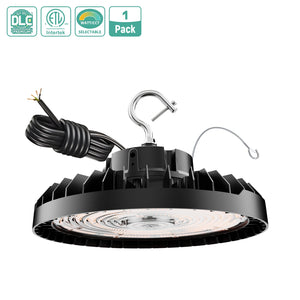
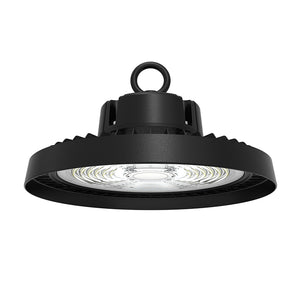
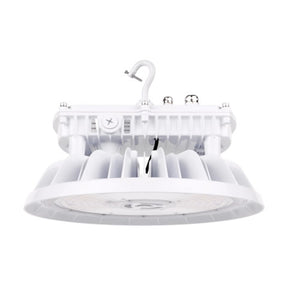
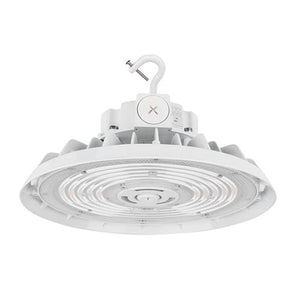
How to Repair a Broken LED UFO High Bay Light
Safety first: Cut off the AC power completely before opening or testing. High-voltage inside the driver can shock you. If you are not familiar with electricity, ask a licensed electrician.
Tools you need
Multimeter, screwdriver, wire stripper, heat shrink tube, compatible LED driver, optional soldering iron, silicone sealant (to restore IP waterproofing)
Common failure order (most frequent first)
- Bad LED driver (power supply) — #1 cause
- Loose / oxidized wiring, bad terminal contact
- Burned LED chips on the PCB board
- Dimming sensor / 0-10V control fault
- Overheating damage (heatsink blocked with dust)
Step 1: Basic power & wiring check
- Confirm the circuit breaker is ON and check if other lights on the same circuit work. If many lights fail, the problem is your mains supply, not the fixture.
- Remove the UFO lamp and open the driver compartment.
- Inspect input wires: look for fraying, burnt marks, loose wire nuts or corroded terminals.
- Use a multimeter to measure AC input voltage at the driver terminals (should match rated voltage, e.g., 100–277V AC).
- Fix: Reconnect loose wires, cut and re-strip damaged wire ends, insulate with heat shrink.
Step 2: Test and replace the LED driver (most repairs stop here)
The driver converts AC to constant DC current for the LED board. Bulging capacitors, black burn marks, humming or no DC output means it is dead.
- Disconnect both AC input wires and DC output wires going to the LED PCB.
- Measure the driver’s DC output with a multimeter. If there is no steady DC voltage/current matching the label, replace it.
- Buy a matching constant-current driver: same wattage, same output current, same voltage range. If your light has 0–10V dimming, get a dimmable driver.
- Wire the new driver: AC (L/N) to mains; DC (+ / −) to LED board (do not reverse polarity).
- Seal the driver housing with silicone to keep its IP rating.
Tip: You can temporarily swap a known-good driver into the faulty light for a quick test. If it lights up, the old driver is confirmed bad.
Step 3: Inspect and repair the LED PCB board
If the new driver still does not turn the light on, the LED array is damaged:
- Look closely at each LED chip. A burned chip has a tiny black dot in the center.
- One burned chip in a series string will turn off the whole string (light dead or partially dim).
Two repair options
- Temporary bypass (not recommended long-term): Solder a thin wire across the burned chip’s two pads to skip it. Warning: remaining LEDs run hotter, shorter life.
- Proper fix: Desolder the bad chip and solder a replacement LED chip with identical specs (current, voltage, color temperature).
If 30%+ chips are burned: replacing the whole LED PCB plate is easier and safer than repairing individual chips.
Step 4: Fix flicker, dim, or intermittent light
- Flicker: unstable mains voltage, bad driver, loose DC wires, incompatible dimmer. 0–10V dimming models may flicker if the dimming wire is shorted or poorly connected.
- Light slowly getting dim: dust clogged on the UFO heatsink. Clean the radiator surface to reduce overheating.
- Works sometimes: loose DC output connection, cold solder joint on PCB.
Step 5: Reassemble and test
- Make sure all polarities (+/−) are correct.
- Reapply waterproof silicone gasket/seal if you broke the original seal (UFO high bays are usually IP65/IP66).
- Hang the light securely, restore power and test.
When to give up & replace the whole light
- The aluminum PCB is cracked, water-corroded, or has many burned chips.
- The lamp housing / heatsink is badly deformed from heat.
- You cannot find a matching driver or LED board.
Quick troubleshooting table
| Symptom | Likely cause |
|---|---|
| No light at all | Driver failed, no AC power, open LED string |
| Part of the light dark | One burned LED chip in series |
| Flickers | Bad driver, loose wiring, dimmer mismatch |
| Lights up then turns off after minutes | Overheating, driver thermal protection |
| Dimming does not work | Broken 0–10V signal wire or wrong driver |
UFO LED High Bay Light Field Repair Checklist
SAFETY RULE (TOP): Disconnect power at breaker before opening. High voltage hazard. If you are not qualified, stop and call an electrician. Fixture Info (fill in): Wattage: _______ V-in: _______ (100‑277VAC) Dimmable: No 0‑10V Other Driver: Constant Current _______mA, Output V range: _______V IP Rating: _______
1. Power & Supply Check
Circuit breaker is on. Other lights on same circuit work? Yes No → Fault is building supply, not fixture Visually check input cable: cuts, burnt insulation, loose terminals Measure AC voltage at driver input L/N: _______V (within rated range) Input wires tight, no corrosion
2. Driver Inspection & Test (Most Common Fault)
Open driver compartment. Check for bulging capacitors, burn marks, smell of burnt electronics Disconnect DC output wires to LED board Power ON briefly → Measure DC output of driver: _______V ✅ Good: Stable DC inside label range ❌ Bad: Zero / jumping voltage → Replace driver New driver matches: Wattage, current (mA), voltage range, dimming function Wiring: L=Line, N=Neutral; DC + / DC – (NO reverse polarity) Seal driver housing with silicone after repair to keep waterproof rating
3. LED PCB Board Check
With known good driver connected: still no light? LED board fault Inspect every LED chip: black dot / burnt spot? Yes No Single bad chip in series string = whole string dead Repair choice: Bypass bad chip (TEMPORARY ONLY, shorter lifespan) Replace individual matching LED chip Replace full LED PCB (best if multiple chips burned) Check PCB for water corrosion, cracked substrate, lifted solder pads
4. Flicker / Dim / Intermittent / Thermal Shutdown
Flicker: Loose DC wires / bad driver / incompatible dimmer / shorted 0‑10V wire Dim over time: Heatsink covered in dust → clean aluminum heatsink Turns off after running a few minutes: Overheat protection, blocked cooling, bad driver thermal lockout 0‑10V dimming not working: Check purple/grey dimming wires, no short, use dimmable driver
5. Reassembly & Waterproofing
All wire connections insulated (heat shrink / terminal blocks) Gasket not damaged; reapply silicone seal if seal was broken All screws tightened evenly No wire pinch between housing parts
6. Final Power Test
Fixture mounted securely Power restored Test: Full brightness No flicker Dimming works (if fitted) Run for 5–10 minutes, check for abnormal heat or odor
7. Replace Whole Fixture Instead If:
PCB heavily corroded / cracked Heatsink deformed / melted Spare matching driver/LED board unavailable Internal water damage extensive
| Symptom | First thing to check |
|---|---|
| Completely dead | Driver output voltage, incoming AC |
| Half / part of light dark | Burned LED chip on PCB series string |
| Flickers continuously | Driver or loose DC wiring |
| Runs then shuts off | Overheating, driver thermal protection |
| Won’t dim | 0‑10V wiring or non‑dimmable driver |


